Device Discovery
You can use the built-in mDNS of our service to discover all online FIRERPA devices on the local network, including their addresses, versions, and other information. You can even directly access FIRERPA remote desktop and other services in a browser using a domain name like {ro.serialno}.local. Note: Using mDNS domain names requires that your system supports mDNS. The mDNS service is disabled by default; you need to configure mdns.enable=true to enable it. For configuration instructions, refer to the Service Configuration section.
Warning
If your network has a large number of devices running FIRERPA, enabling mdns simultaneously may cause a broadcast storm, slowing down the network!
Discover All Devices
You can use the mdns-beacon tool library to quickly list all devices. First, run pip install mdns-beacon to install the tool. After installation, execute the following command, which will list all devices running FIRERPA on your current network. This feature may be affected by your actual network setup or certain special device models, leading to failure to discover devices.
mdns-beacon listen --service _lamda._tcp.local.
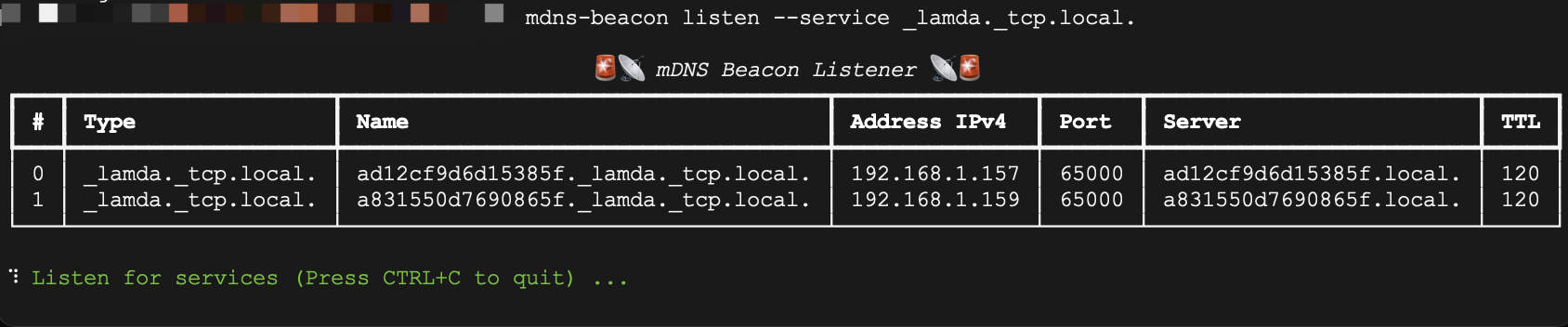
If your device supports mDNS (best on Mac; Windows and Linux may require additional configuration), you can directly enter the Server name with the port in a browser, such as ad12cf9d6d15385f.local:65000, to access the remote desktop. The string you see, like ad12cf9d6d15385f, is the Android system's android_id. You can obtain it with the following command.
adb shell settings get secure android_id
Of course, you can also use the zeroconf tool library to perform device discovery programmatically, such as python-zeroconf. In addition to programmatic service discovery, it can also enumerate some Android device information (requires configuration).
Discovery Service Configuration
You can adjust parts of the service discovery via Service Configuration, such as changing the service type or making each device use a fixed Server name.
You can use the mdns.meta configuration item to control whether to broadcast your device's own information (such as device ID, ABI, Android version, model, etc.). By default, it is not broadcast.
mdns.meta=true
Set the mDNS service name for the current device. You can modify it to enhance the stealth capability of FIRERPA. The default is lamda.
mdns.service=lamda
Set a fixed Server name for the current device, which is the Server field name you see in the image above. The name you set does not need to include the .local suffix; that suffix is required and will be automatically added. You need to set a fixed and unique name for each device.
mdns.name=DEVICEID-UNIQUE-NAME