Model Integration (MCP/Agent)
This article explains how to connect FIRERPA with large language models (based on MCP or commands). FIRERPA has implemented the MCP server protocol and native OpenAI tool-calling functionality at its core, allowing you to write your own MCP plugins and serve them through the standard port 65000, or inherit the Agent class to achieve fully automated tool calls.
Built-in Agent Command
The built-in agent command allows you to quickly complete tasks using natural language through a large language model. It supports any service provider compatible with the OpenAI API + tool-calling, or self-hosted services. Combined with the built-in crontab, you can schedule natural language tasks to run at specific times.
Hint
Attention
Once you have the required information, you can have the AI automatically operate your device by entering the following command in the remote desktop terminal.
agent --api https://generativelanguage.googleapis.com/v1beta/openai/chat/completions --key YOUR_API_KEY --model gemini-2.5-flash --prompt "Help me open the Settings app, package name com.android.settings, find network settings, and turn on airplane mode"
If your task prompt is too long, you can also provide the model prompt from a file.
agent --api https://generativelanguage.googleapis.com/v1beta/openai/chat/completions --key YOUR_API_KEY --model gemini-2.5-flash --prompt /path/to/prompt.txt
Claude & Cursor Integration (MCP)
This section explains how to integrate FIRERPA's MCP functionality with your large language model client. We provide examples for Claude and Cursor, but you can use it with any other client that supports the MCP protocol.
Note
Attention
Install the Official Extension
We provide an official MCP service. You can download this extension module from extensions/firerpa.py. You can also refer to its implementation to write or extend your own plugin features. After downloading the extension script, upload it to the /data/usr/modules/extension directory on your device via remote desktop or a manual push, then restart the device or the FIRERPA service.
Attention
Using the Official Extension
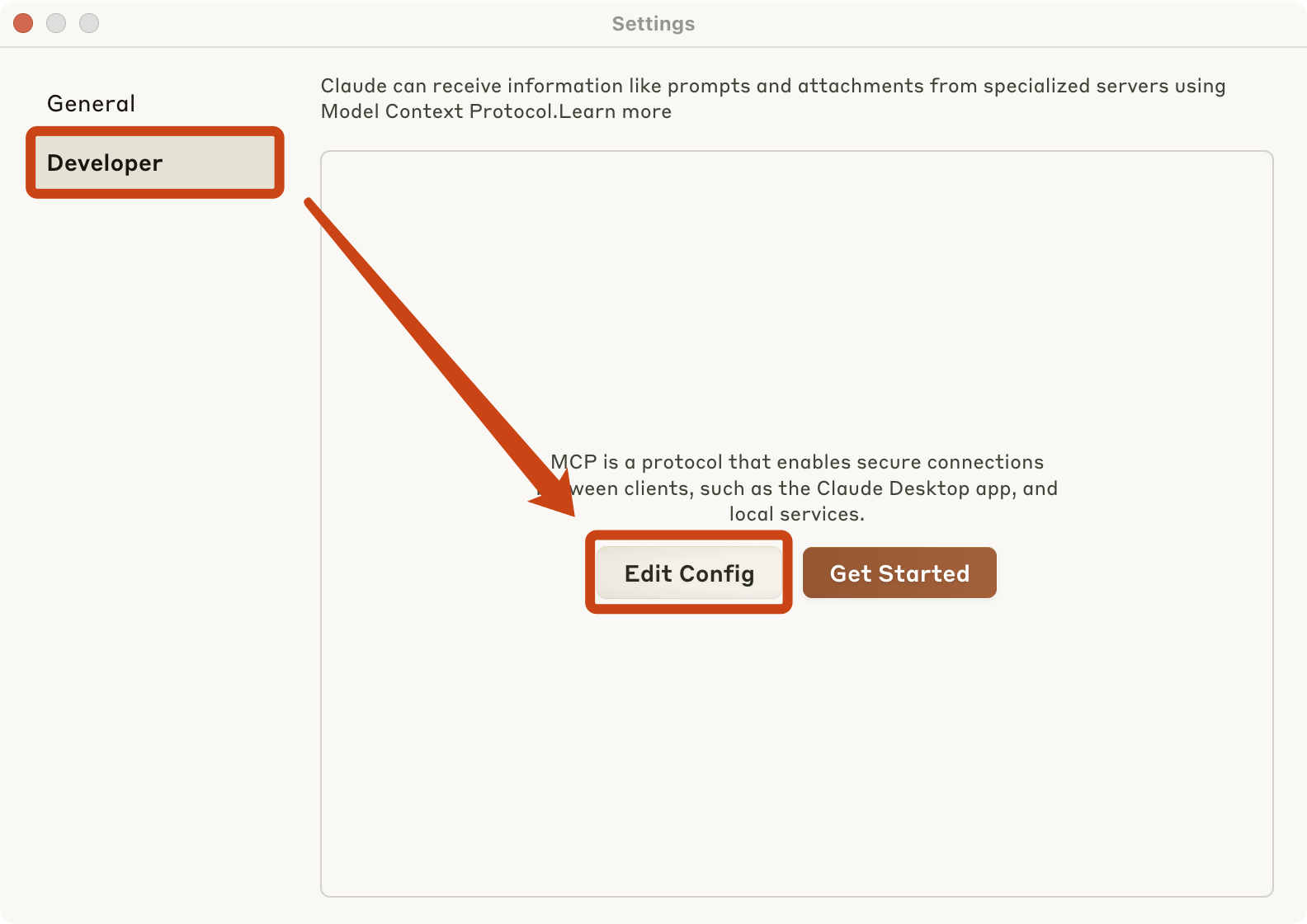
For Claude, you first need to go to the Claude settings page and follow the steps shown in the image below. Then, as prompted, edit Claude's claude_desktop_config.json configuration file and add the following MCP JSON service configuration.
{"mcpServers": {"firerpa": {"command": "npx", "args": ["-y", "supergateway", "--streamableHttp", "http://192.168.0.2:65000/firerpa/mcp/"]}}}
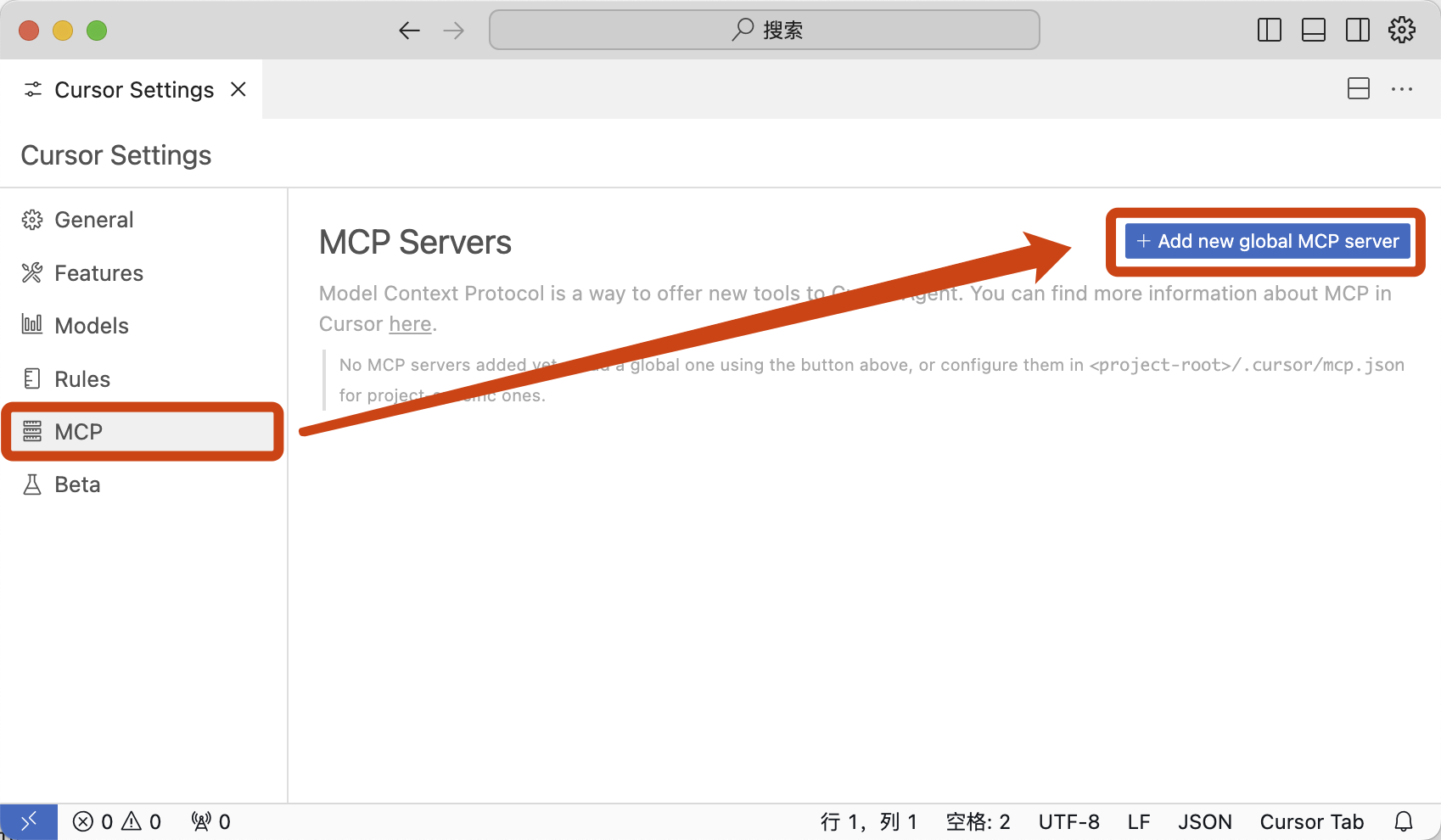
For Cursor, you need to open Cursor Settings, follow the steps shown in the image, and enter the following configuration.
{"mcpServers": {"firerpa": {"url": "http://192.168.0.2:65000/firerpa/mcp/"}}}
Attention
Writing an MCP Extension
Hint